Home
» Kiến thức y khoa
»
How to Prepare for a Telehealth Visit: Give Your Clinician the Details That Matter
How to Prepare for a Telehealth Visit: Give Your Clinician the Details That Matter
A useful telehealth visit starts with a clear account of what has changed, when it began, and how it affects you. You do not need to arrive with a diagnosis or a perfect medical history. A short symptom timeline, an accurate medication list, a few focused questions, and a working way to connect give the clinician more usable information than a long, unorganized story.
Preparation can make a remote appointment easier to follow, but it cannot guarantee a diagnosis or replace an examination when one is needed. The goal is a shared understanding of the concern and a clear next step: home care instructions, testing, a prescription discussion, follow-up, an in-person evaluation, or urgent care.
What details matter most to the clinician?
Start with the reason you booked. In one sentence, say what concerns you most or what you hope to decide by the end of the visit. Then describe the symptom in ordinary language. Specific observations are more helpful than medical labels you are unsure about.
Write down the following before the appointment:
Start and course: When did it first happen? Did it begin suddenly or gradually? Is it constant, intermittent, improving, worsening, or changing?
Pattern: How often does it happen, how long does an episode last, and what were you doing when it started?
Severity and effect: What does it stop you from doing—sleeping, eating, working, walking, or concentrating? If a 0-to-10 rating helps you explain pain, use it consistently, but do not worry if a number does not fit.
Context: What seems to bring it on or ease it? Are there other symptoms at the same time? Mention recent illness, injury, travel, new products, or exposures only if they may be relevant.
What you have tried: Note medicines or other measures, the amount and time used, and what changed afterward. Do not start, stop, or change a prescribed medicine just to prepare for the visit.
If symptoms come and go, a brief log can be more useful than trying to remember every episode. Record the date or time, what happened, how long it lasted, and any relevant measurement. A few representative examples are usually easier to discuss than a minute-by-minute diary.
A short timeline and question list can help keep a telehealth conversation focused.
How should you prepare your medical information?
Make a current medication and allergy list
Include prescription medicines, over-the-counter products, vitamins, supplements, and anything you use only occasionally. For each, record the name, strength if known, how much you take, and how often. Include the prescriber when it is useful. Note allergies and what reaction you had, rather than writing only “allergy” if you remember the details. If you are unsure about a dose or name, say so; do not guess. You can keep the containers nearby if that is easier.
Also have a short list of important health conditions, prior procedures, and relevant family history. You do not need to recite your entire chart. The clinician can ask follow-up questions and may already have access to parts of your record.
Gather current medicine containers or a written list, including nonprescription products and supplements.
Gather measurements only when they are relevant
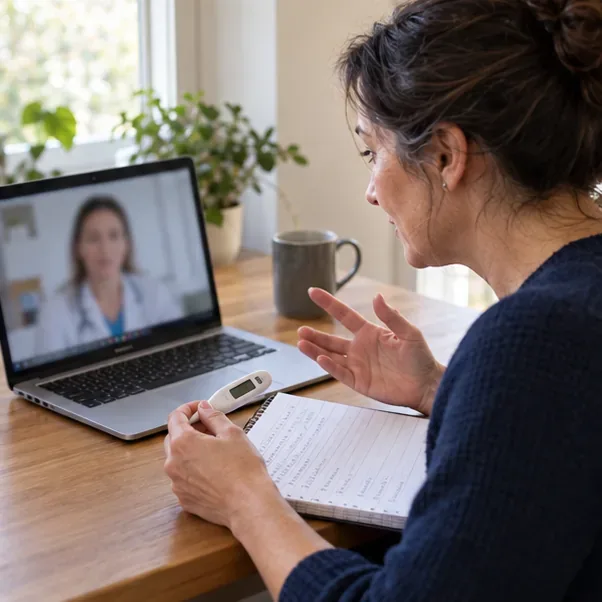
For some visits, a recent temperature, weight, blood pressure, blood sugar, or pulse reading can add context. Follow any instructions the clinic gave you. If you use a home device, note when you took the reading and the number it displayed; do not present a rough estimate as an exact result. If you do not have a device or are unsure whether a measurement is needed, tell the clinician rather than delaying the visit to obtain one.
One reading is not always the whole picture. For example, a measurement may vary with timing, activity, technique, or the device. Share the context and let the clinician decide how to interpret it.
How do you make the visit easy to hear and see?
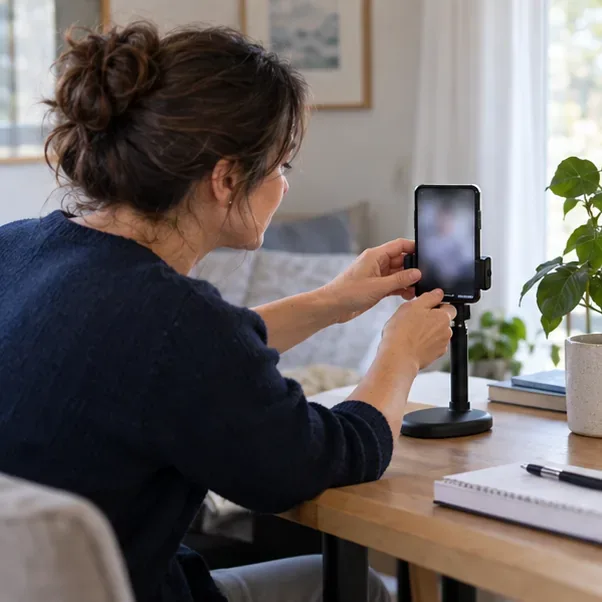
Check the appointment message for the connection method, forms, arrival instructions, and a phone number to use if the link fails. Charge the device, test its camera and sound, and sign in a little early if the clinic recommends it. Choose a quiet, private place with steady internet and enough light for the clinician to see you. Set the camera on a stable surface near eye level and close distracting applications.
Tell the clinic in advance if you need an interpreter, captions, a screen reader, or another accessibility support. If you want a caregiver or support person present, ask whether that is appropriate and decide what you are comfortable sharing. For sensitive topics, consider who can hear you and whether you can speak privately.
If you have a visible concern such as a rash or swelling, ask the clinic whether a photo would help and how to send it through an approved channel. A camera can distort color, size, or texture, so describe what you see as well. Avoid sending personal health images through an unverified link or an account the clinic has not approved.
A stable device, eye-level camera, good light, and a private space support clearer communication.
What should you ask during the appointment?
Choose two or three priority questions and keep the list in front of you. Useful questions include:
What possibilities are you considering, and what information would help distinguish them?
What should I do now, and what should I avoid?
Do I need an examination, test, or in-person appointment? How soon?
What changes should prompt me to contact the clinic sooner or seek urgent care?
When and how should I follow up, and who should I contact if the plan is not working?
During the conversation, correct details that sound wrong and ask for unfamiliar terms to be explained. If you are unsure whether you understood the plan, summarize it in your own words: “So I should do X today, watch for Y, and call if Z happens—is that right?” Ask how you will receive test results, visit notes, or prescriptions. The MedlinePlus appointment guide also recommends preparing symptom details and questions ahead of time.
Keep notes and any relevant readings nearby so you can answer questions and confirm the plan.
When should you change the plan?
Some symptoms have common, non-emergency explanations, and many routine concerns can be discussed remotely. That does not mean a symptom can be safely judged from a screen alone. If your symptoms are new, worsening, severe, or difficult to describe, contact the clinic promptly and ask what level of care is appropriate. If the clinician cannot assess the problem adequately by video or phone, they may recommend an in-person examination, testing, imaging, or another service. This is a normal limit of remote care, not a failed visit.
Do not wait for a scheduled telehealth appointment if you may be having a medical emergency. In the United States, call 911 for symptoms such as severe trouble breathing, possible heart attack symptoms, or sudden stroke signs—such as face or arm weakness, trouble speaking, sudden vision or balance problems, or a severe unexplained headache. The National Heart, Lung, and Blood Institute advises calling 911 when heart attack symptoms are possible, even if you are not sure; the CDC stroke guidance says to call 911 for sudden stroke symptoms. If you are outside the U.S., use your local emergency number. This is not a complete list; if you believe there is immediate danger, seek emergency help rather than trying to resolve it through a routine video visit.
How can you tell whether you are prepared?
A practical check is whether you can explain your main concern in a few sentences, identify when it began and how it has changed, share an accurate medicine and allergy list, and name the questions you need answered. You should also know how to reconnect or call the clinic if the technology fails.
After the visit, useful signs of a clear outcome include knowing the next action, its timing, what symptoms require faster help, and how follow-up will happen. If any part is unclear, send a message or call the clinic to clarify rather than relying on memory. Keep the written plan with your notes.
Preparation improves the information available to the clinician; it does not remove uncertainty. A clinician may need more history, an exam, or testing before explaining what is causing a symptom. The HHS telehealth preparation guide covers technology, privacy, questions, and visit setup. Use the clinic’s instructions for your specific appointment, and let the clinician know when a detail is uncertain or unavailable.